The search tabs
On this page
The tabs under the search box are different views of the same search. Each one pulls from the same words but arranges the answer differently and offers different controls. Pick the tab that matches what you want to find.

The tab row on a News search. The tab you are on is underlined; the others carry your words with them.
- 1All: Web and News side by side
- 2Web: Google-hosted results first
- 3News: articles from the 4Search index
- 4Websites: sites that fit a description
- 5Images: pictures from articles
- 6Videos: videos from articles
#Which tab should I use?
| You want | Choose |
|---|---|
| A bit of everything, with the web next to the news | All |
| Official pages, products, reference sites, how-to guides | Web |
| What outlets are reporting, with filters for age, length and tone | News |
| A source or site you do not know yet | Websites |
| A picture or a chart from the news | Images |
| Video from the news | Videos |
| Prices and offers from stores | Shopping |
| An answer in conversation | AI Mode |
Finance, Politics, Predictions, Weather, Maps, Topics and Shopping are separate services with their own sections. Start from the Help home if you are not sure.
#All
All shows the Web column and the News column side by side, Web first. Above them is a row labelled News filters: the date menu, the match menu, the length menu and the sentiment menu, plus Apply to web and Open in News ›. The filters narrow the News column. With Apply to web ticked, the date also narrows the Web column. See Narrow results with filters.
All is also where 4Search may choose a better tab for you. If your words look like a news story, a shopping search or a website name, the page opens on News, Shopping or Websites and says so. See Why a search opens on News, Shopping or Websites.
#Web
Web shows the same two columns with the Web column first. It has only the search box and the tabs: no filters. Choose it when you mainly want what the wider web says. The News column on this tab searches on Auto.
#News
News puts the 4Search index first and has the full filter row: the date menu, Published or Discovered, the match menu, the length menu and Sentiment. The Web column sits beside it. Choose News for current events, for comparing outlets, or whenever you want to control the age, length or tone of what you read.
A Search within a topic card may appear above the results, offering the same search inside a topic. See What appears above your results.
#Websites
Websites lists websites, not articles. Describe the kind of site you want, such as electric trucks, and each result is one site with its address, category, description and tags. Select Profile & articles to see what the site covers and to search inside it. See Find a website.
#Images and Videos
These tabs show a grid of pictures or videos taken from articles in the 4Search index. Each card links to the article it came from. They use the same filter row as News. See Search images and videos.
#Moving between tabs
- Your words travel with you. The filters do not: a date range you chose on News is not applied when you open Images.
- If you are inside a topic, the topic travels with you.
- On a phone the tab row slides sideways, and so do the filters.
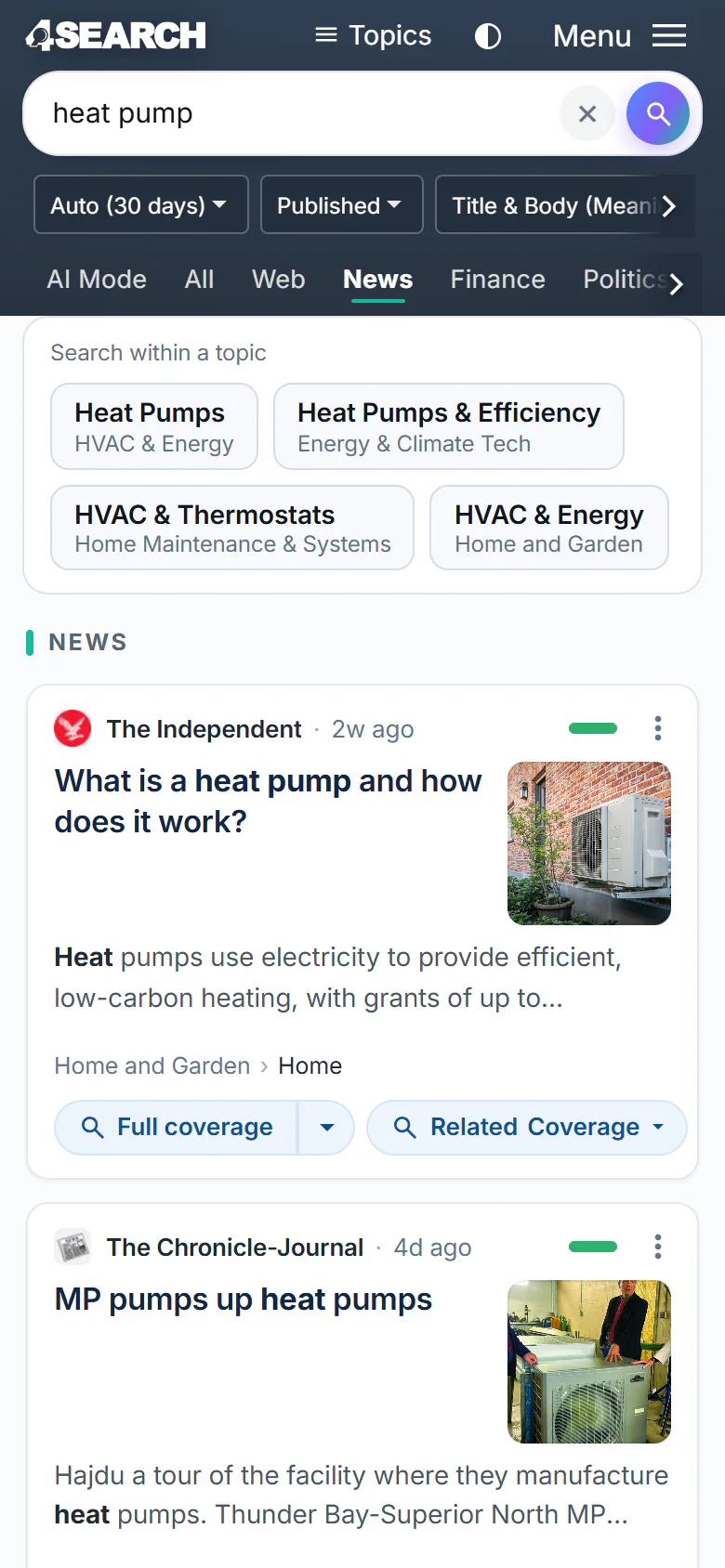
A News search on a phone. The filter row and the tab row slide sideways to show the rest.
- 1The search box
- 2Filters: slide sideways for more
- 3Tabs: slide sideways for more
#Long questions
Google-hosted results are for searches up to 160 characters on the Web, News and Websites tabs. On the News and Websites tabs a longer question shows its own results only, and on the Web tab the Web column asks for a shorter search. The All tab still shows both columns. See The Web column.
#Common questions
What is the difference between All, Web and News?
All shows both columns with filters for News. Web shows both columns with Web first and no filters. News shows News first with the full filter row.
Why does the All tab sometimes take me back to News?
For a search that looks like news, selecting All can run the same check again and reopen News. Select See all results instead in the note at the top and the All tab stays. See Why a search opens on News, Shopping or Websites.
Why do my filters disappear when I change tabs?
Tabs carry your words, not your filter choices. Set the filters again on the new tab.
Where are the other tabs, like Finance and Weather?
They are part of the same row. On a narrow screen, slide the row sideways. Each is a service with its own section of this Help Center.